
Prepare Your Colortrac Scanner for Windows 11
Windows 10 End-of-Life: What You Need to Know
Microsoft has announced that support for Windows 10 will end on October 14, 2025. After this date, Windows 10 will no longer receive security updates or patches — leaving your systems potentially vulnerable to security threats.
If you’re thinking about or preparing to upgrade to Windows 11, now is the perfect opportunity to check that your Colortrac scanner, software, and drivers will work smoothly.
Our easy step-by-step guide will help you confirm compatibility, update software and drivers if needed, and give you clear next steps so you can continue scanning without interruption.
Step 1: Check Compatibility
Some Colortrac scanners require updated drivers to work properly with Windows 11, and a few older models may not be supported. Use our scanner and software compatibility table below to see whether your device is Windows 11-ready instantly.
Compatible with Windows 11
The following scanner models and software packages are compatible with Windows 11.
Scanner Models
SmartLF Scan!
SmartLF SCi
SmartLF SGi
Drivers/Software
SmartConnect (Drives/Utilities)
SmartWorks Touch/Touch MFP
SmartWorks Imaging
SmartWorks Pro
Not compatible with Windows 11
The following scanner models and software packages are not compatible with Windows 11.
Scanner Models
* includes both T and non-T models
Drivers/Software
SmartWorks EZ/SmartWorks EZ Touch
ScanWorks
CopySmart
Step 2: Update to the latest versions
If your Colortrac scanner and scanning software are compatible with Windows 11, it’s easy to get the latest versions when you’re ready.
Just visit the Colortrac Support website and find your scanner model. Remember, you’ll also need SmartConnect (for drivers and utilities) as well as your scanning software.
SmartWorks Touch/Touch MFP is free to download, but if you want to try SmartWorks Imaging, you can try it free for 30 days!
For more information, please refer to the release notes for all software.
Step 3: Plan for replacement
If your scanner or software isn’t supported on Windows 11, you can still continue using it with Windows 10 for now.
However, after October 14, 2025, Windows 10 will no longer receive security updates, which means any new security vulnerabilities discovered will not be patched. Some new software features or integrations may also be unavailable.
Upgrading to a newer scanner model ensures you can take full advantage of Windows 11, plus discover the benefits of a new scanner with new features and benefit help you scan even better than before. There’s also the peace of mind of a 1-year parts warranty as standard on SmartLF Scan! models, which is upgraded to 2-years on all SmartLF SCi and SGi models, with these models also offering extended warranties up to a total of 5 years.
Contact us today for a free, no obligation quotation so you can start planning to change over or just stay up to date with the latest Colortrac solutions.
It is not advisable to find alternative methods to try and keep obsolete equipment or software working. Functionality and features may be impaired, and support through Colortrac will not be provided for users attempting to modify, bypass, or otherwise extend the operation of unsupported or outdated products.
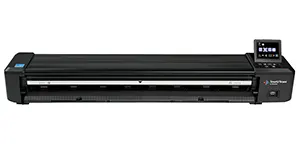
SmartLF Scan!
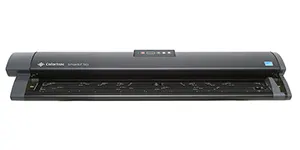
SmartLF SCi
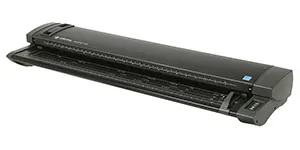
SmartLF SGi

SmartWorks Touch/Touch MFP*
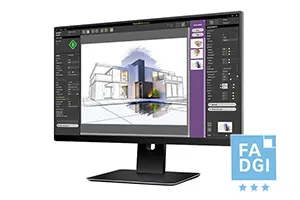
SmartWorks Imaging
Any quoted scanning speeds are based on scanning a document at 200 dpi. Actual performance and speed will vary depending on other factors such as additional scanning settings, type of document, connected device specification and performance plus operator experience and workflow management. They are therefore indicative only.
The information provided on this webpage is for general guidance only. While we aim to provide accurate and up-to-date advice regarding Windows 10 end-of-life, Windows 11 compatibility, software, drivers, and Colortrac scanners, individual results may vary.
Colortrac makes no warranties, express or implied, regarding the accuracy, completeness, or suitability of this information for your specific setup. Users are responsible for verifying compatibility, downloading, updating, and installing software and drivers, and ensuring that all data and settings are backed up before making any changes.
Colortrac is not liable for any loss, damage, or inconvenience resulting from software updates, installations, driver updates, changes in usability, loss of settings or data, workflow interruptions, or any resulting loss of income. All decisions regarding scanner upgrades, replacements, or software use are the responsibility of the user. If in doubt, please consult with an experienced IT engineer or provider.
Colortrac for the UK and Ireland markets is exclusively and solely distributed by BDM Distribution. For reseller and partner enquiries, please visit www.bdmdistribution.co.uk

